Update Your Drivers. Boost Performance. Stay Secure.

Outdated or missing drivers can cause system crashes, slow performance, and security risks. DriverUpdater scans your hardware so your PC runs at its best.

Download EASY DOWNLOAD
Security 100% SAFE & SECURE
Support 24/7 EXPERT SUPPORT
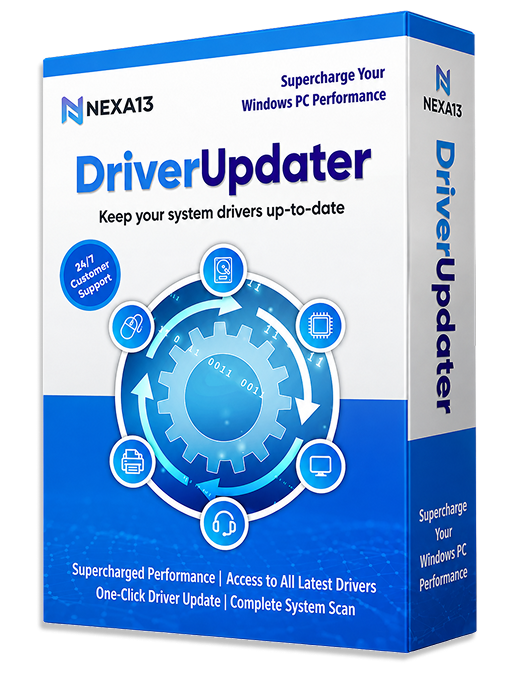
Nexa13 DriverUpdater Software Box

Why Choose DriverUpdater?

DriverUpdater helps computers to detect defective drivers, install driver updates when needed, and fix other driver-related issues. Some features are only available in the Pro version.

  • Check Scan and Update Outdated Drivers
  • Check One-Click Driver Updates (Pro)
  • Check Back Up Drivers and Restore Them (Pro)
  • Check Improve System Stability and Performance
  • Check Reduce Crashes and Device Errors
Nexa13 Driver Updater Dashboard Interface
Security

Restore Hardware
Performance

Backup

Update Outdated
Drivers

Clean

Improve PC
Stability

Speed

Enhanced
Security

Schedule

Reduced Hardware
Issues

Windows

Wide
Compatibility

DriverUpdater Key Highlights

DriverUpdater is a dedicated utility solution for all your driver needs. Boost your PC’s performance by updating all your outdated drivers in just one click. Back up your existing drivers for restoring later and create automated tasks and Windows Restore Points. Some features are only available in the Pro version.

Notifications

Supercharged Performance

Keeps your system drivers up-to-date for better hardware compatibility and to deliver top-notch Windows performance.

Restore

Regular Updates

Our database is updated every 24 hours. You'll always have access to the latest security patches and features.

Backup

Full Backup & Restore

Safe by design. We automatically create a system restore point before every update for your peace of mind. Only available in the Pro version.

Speed

Time Saver

DriverUpdater provides easy access to all the latest drivers your system requires, saving you the effort of searching for them all over the web.

Schedule

One-Click Driver Update

The tool automatically scans for outdated, broken, or missing drivers and updates them instantly to their latest versions with just a single click. Only available in the Pro version.

Update

Dedicated Support

Our technical team is available 24/7 to help you with any driver-related issues or system questions.

Frequently Asked Questions

How can I install DriverUpdater?

Installing DriverUpdater is as simple as it gets! Here are the steps to do it.

  1. Click the download link in the confirmation page or email sent to you.
  2. Wait for the setup to download.
  3. Once the setup downloads, right-click on it and select Open.
  4. Allow the setup file to scan your device.
  5. You’re all set!

How does DriverUpdater work?

DriverUpdater ensures smooth driver updates! Here is how it works.

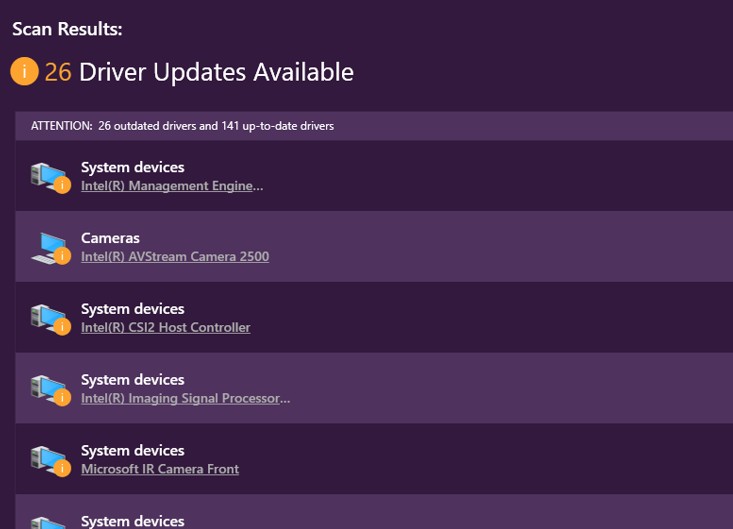
  1. Once you run the scan, it thoroughly inspects the device for all the outdated drivers.
  2. After a few seconds, it displays the scan results on the screen along with the call to action to fix the issues.
  3. From there, you can update drivers manually, or upgrade to Pro to remove in one click.

Which Windows versions support DriverUpdater?

DriverUpdater works with all major Windows versions, including Windows 11, Windows 10, Windows 8.1, Windows 8, and Windows 7 (both 32-bit and 64-bit). The entire size of the installation is 11.4 MB.

How do I activate DriverUpdater Pro?

DriverUpdater Pro can be activated instantly in few simple steps:

  1. Launch DriverUpdater.
  2. In the lower left corner, click “Enter License Key”.
  3. If you already have an Activation code, paste the code in the box provided and click on “Activate Now”.
  4. If you want to upgrade, click the “Upgrade to PRO Version” button. Follow the steps to make the required payment and copy the activation code that you get.
Get In Touch

We’d love to hear from you!

Fill out some info and we will be in touch shortly.

Mail Icon

info@nexa13.com

Pin Icon

15001 Meridian Parkway, Suite A, Riverside, CA 92518

Get Your PC Running at Its Best Today!

Download now, or call/chat with us for questions or to help with installation.

Need help installing? Phone +1 (323) 307-7107
BUY NOW