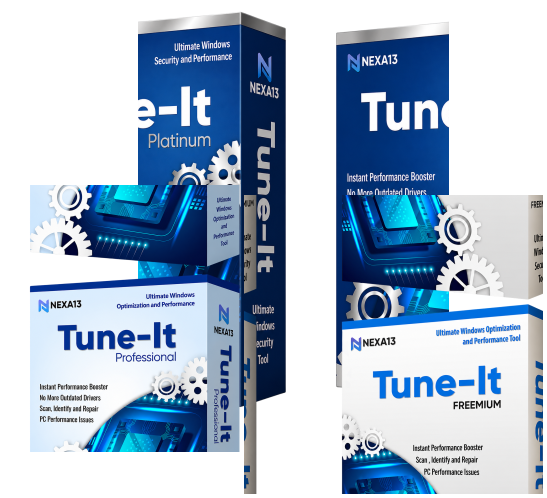
One Family. Three Solutions.
Better PC Performance Starts Here.

The Tune-It family of utilities offers a solution for every level of PC optimization. Whether you're simply curious about your system's health or looking for complete protection and performance enhancement, there's a Tune-It product that's right for you.

Download EASY DOWNLOAD
Security 100% SAFE & SECURE
Support 24/7 EXPERT SUPPORT
Nexa13 Tune-It Software Box

Why Choose Nexa13 Tune-It?

Nexa13 Tune-It is a tool that is equipped with everything you need to keep your Windows computer working in the most efficient and seamless way, using its advanced optimization features.

01

No More Outdated Drivers *

Bid farewell to all the outdated drivers in your system with DriverUpdater.

Driver Updater Illustration
02

A Malware-Free PC **

Identify potential threats with a one-click dedicated malware scan of your PC's most critical areas — the perfect companion to your existing antivirus. It removes malware, PUAs, and other threats, working alongside your antivirus for absolute PC protection.

Malware Free PC Illustration
03

Less Junk, More Storage

A huge amount of junk will hamper the way your PC functions. Tune-It's Junk Cleaner performs a thorough cleaning to eliminate unwanted files and improve your PC performance. It also removes all your web privacy traces.

Junk Cleaner Illustration
04

Instant Performance Booster

Tune-It’s Registry Cleaner removes registry entries that haven’t been in use in the system for a long time, improving the system speed and performance significantly.

Performance Booster Illustration

*Included in Tune-It Pro & Tune-It Platinum

** Included in Tune-It Platinum

Tune-It Key Highlights

Nexa13 Tune-It is a one-click solution for all your Windows performance and security issues. This tool will not only detect threats and optimize your PC but also maximize its performance to the fullest.

Notifications

Real-Time Notifications

Instant notifications provide a thorough awareness of your system's security and optimization requirements.

Restore

System Restore Within Seconds

When an install fails or data is corrupted, System Restore can restore a system to its previous condition without requiring you to reinstall the operating system.

Backup

No Data Loss With Automatic Backup

Keeping a data backup on a second storage is crucial for protecting against original data loss or corruption.

Speed

Rapid & Easier Start-Up

This tool lets you manage the background processes that slow down the start-up speed of your system, ensuring a faster start-up.

Schedule

Schedule Scans & Worry No More

Prepare scans with this tool & let Nexa13 Tune-It take care of your system health. Scan scheduling can be done as a one-time event or on a regular basis.

Update

Never Miss a Critical Update

Get critical security and system optimization notifications for your PC that require your immediate attention.

Frequently Asked Questions

Installing Tune-It is as simple as it gets! Here are the steps to do it.

  1. Click on the Download Now button.
  2. Wait for the setup to download.
  3. Once the setup downloads, right-click on it and select Open.
  4. Allow the setup file to scan your device.
  5. Choose whether you want to install the program manually or automatically.
  6. Allow the setup file to make changes to your device.
  7. Click on Install Now and wait for the installation to complete.

Tune-It is a complete PC maintenance program. Here is how it works.

  1. Once you run the scan, it thoroughly scans the device for all the outdated drivers, junk, malware, and invalid registry.
  2. After a few seconds, it displays the scan results on the screen along with the call to action to fix the issues.
  3. In one click, it lets you update outdated drivers*, remove malware**, clean the registry, and scrape away all kinds of junk from the device.

Tune-It works with all major Windows versions, including Windows 11, Windows 10, Windows 8.1, Windows 8, and Windows 7 (both 32-bit and 64-bit). The entire size of the installation is 11.4 MB.

Tune-It can be activated instantly in few simple steps:

  1. Launch Tune-It.
  2. Click on the Menu button at the top right corner of the app.
  3. Select “Enter Activation Code” from the menu.
  4. If you already have an Activation code, then paste the code in the box provided and click on ‘Activate Now’.
  5. If you are a new user, then click on ‘Upgrade to PRO Now’, follow the steps, make the required payment and copy the activation code that you get and then follow the steps above.
Get In Touch

We’d love to hear from you!

Fill out some info and we will be in touch shortly.

Pin Icon

15001 Meridian Parkway, Suite A, Riverside, CA 92518

Get Your PC Running at Its Best Today!

Download now, or call/chat with us for questions or to help with installation.

Phone
Need Help Installing? +1 (323) 307-7107
BUY NOW