Browse Faster. Remain Untracked.

Browse faster and stay protected by blocking ads, trackers, and malicious websites—all built into Windows with no browser extensions required.

EASY DOWNLOAD
Security 100% SAFE & SECURE
Support 24/7 EXPERT SUPPORT
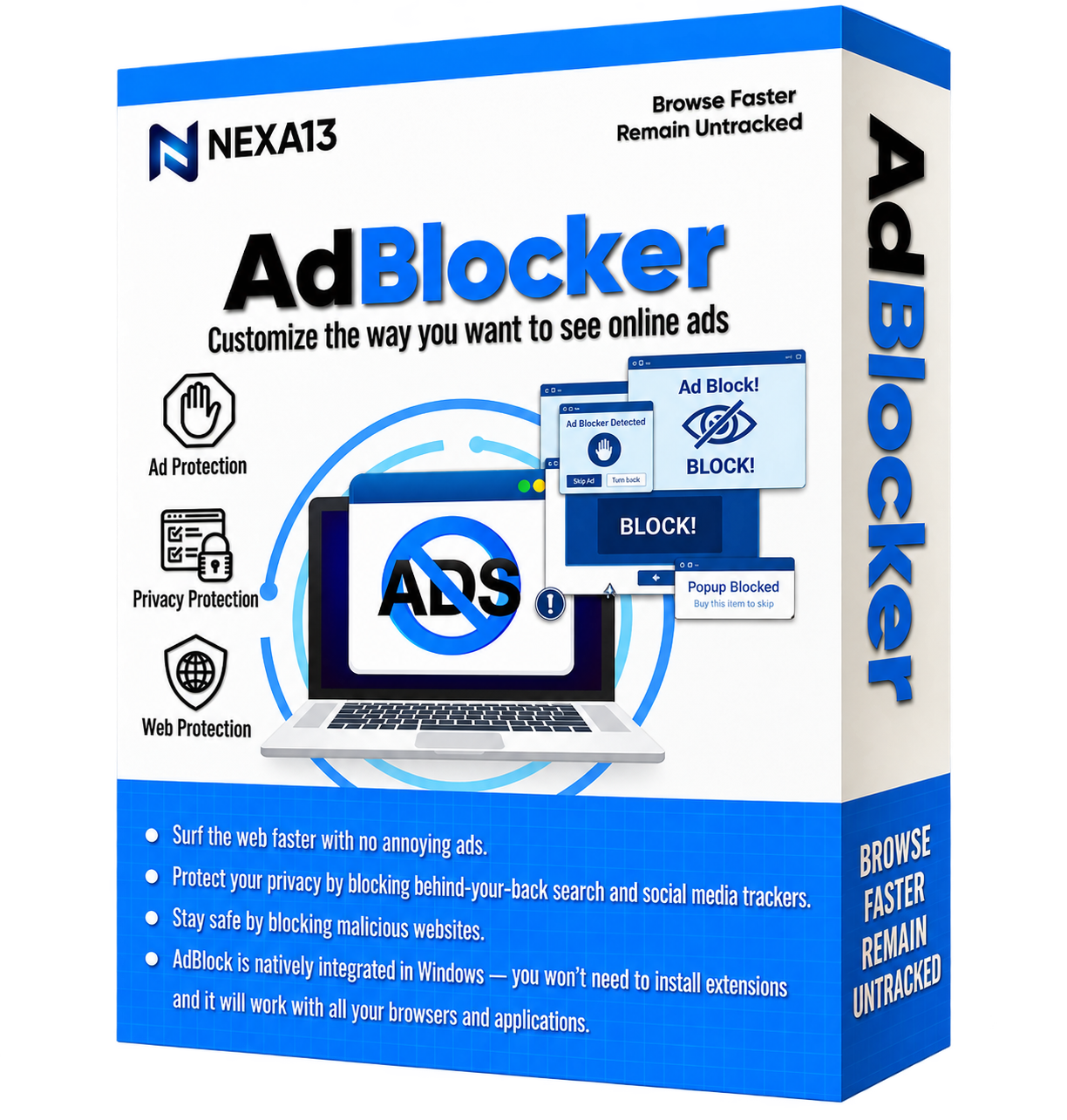
Nexa13 AdBlocker Software Box
Your Online Experience - Safer & Smoother

Why Choose AdBlocker?

With Nexa13’s AdBlocker, you can block all types of ads. It easily blocks common ads like pop-ups and banners, as well as advanced ads, such as search ads, Facebook ads, YouTube ads, audio and video ads, and social media buttons.

  • Surf the web faster, with no annoying ads.
  • Protect your privacy by blocking behind-your-back search and social media trackers.
  • Stay safe by blocking malicious websites.
  • No browser extension required.
Ad Block
Notifications

Ad Protection

Unlike other ad blockers that only work with specific browsers, Nexa13’s AdBlocker is a simple all-in-one solution that blocks ads on the network level. It will work natively with all your browsers and apps, without the need to install extensions.

Restore

Privacy Protection

Nexa13’s AdBlocker deactivates online trackers so search engines, advertisers, and cyber criminals can’t collect your personal data when you’re online.

Backup

Web Protection

Every single day thousands of people have to deal with the horrors of identity theft. Don’t let it happen to you. Nexa13 AdBlocker has built-in anti-malware and anti-phishing protection so you can browse safely.

Product Features

Notifications

URL Blocking

Nexa13’s AdBlocker blocks ad requests that are sent to denied addresses and returns an empty response to the browser, so requests are not sent at all. It saves internet traffic and decreases page loading time.

Restore

CSS Scanning

Nexa13’s AdBlocker can scan a page’s code and uses special algorithms that change the parameters of any web page element to hide ads on the page.

Backup

HTML Filtering

Nexa13’s AdBlocker filters HTML code to remove ad images, links, and scripts before they reach your browser. Browser extensions can’t do this.

Speed

Block Ad Trackers

Nexa13’s AdBlocker stops advertisers from tracking your browsing behavior based on the sites you visit, videos you watch, and more.

Schedule

Block Social Media Trackers

Nexa13’s AdBlocker prevents popular social media sites from selling your personal data to advertisers so they can show you highly personalized ads.

Update

Block Data Trackers

Nexa13’s AdBlocker blocks web analytic tools that companies use to track and analyze which links you click, which pages you visit most often, what you search for, and more.

Frequently Asked Questions

How can I install AdBlocker?

Installing AdBlocker is as simple as it gets! Here are the steps to do it.

  1. Click the download link in the confirmation page or email sent to you.
  2. Wait for the setup to download.
  3. Once the setup downloads, right-click on it and select Open.
  4. Allow the setup file to scan your device.
  5. You’re all set!

How does AdBlocker work?

AdBlocker is your one-step ad blocking mechanism. Here’s how it works:

  1. Confirm the program is active. You will see a green icon at the bottom right corner of our browser screen. It is your Web Assistant.
  2. Enable or disable the Ad Blocker, Privacy Guard, and Safe Browsing.
  3. Whether it’s the Ad Filters, Rules Editor, or even the Web Assistant, you can manage them all just by hitting the settings button.
  4. View Details to get an overview of the blocked items and manage history.

Which Windows versions support AdBlocker?

AdBlocker is natively integrated in Windows — you won't need to install any extension and it will work with all your browsers and applications.

How do I activate AdBlocker Pro?

AdBlocker Pro can be activated instantly in few simple steps:

  1. Launch AdBlocker.
  2. Click on the Menu button (≡) at the top left corner of the app.
  3. Select “Activate Now” from the menu.
  4. If you already have an Activation code, then paste the code in the box provided and click on “Activate Now”.
  5. If you want to upgrade, click the Upgrade to PRO button. Follow the steps to make the required payment and copy the activation code that you get.
Get In Touch

We’d love to hear from you!

Fill out some info and we will be in touch shortly.

Mail Icon

info@nexa13.com

Pin Icon

15001 Meridian Parkway, Suite A, Riverside, CA 92518

Start Blocking Ads Today!

Download now, or call/chat with us for questions or to help with installation.

Phone
Need Help Installing? +1 (323) 307-7107
BUY NOW